COMFY CAKES / THE BAKERY DOOR

Purble Place Cake Game

Remember the moving bakery and the order on the little screen? This page opens a fan-made Comfy Cakes project directly, then shows you how to read the order and use the cake controls you can see in this version.

This browser project is a Scratch recreation by DipsyNugget, shown through TurboWarp. It is independent from the original Microsoft Windows game.

Illustration of a cake moving through a colorful bakery assembly lineORDER IN
CAKE OUT ✦

01 / PLAY HERE

Straight to the bakery.

The separate Purble Place cake game loads this bakery instead of making you choose a building in the full town. Press Play, wait for the project art to finish loading, then click the green flag inside the player if it asks you to start.

Comfy Cakes · community remakeScratch project 1066405257

Your first order is waiting.

Open the fan-made cake game in the player below.

The game files come from the creator’s project and can change. If the frame stays on a loading screen, try the new-tab link; a slow connection may take longer to fetch the art and sounds.

02 / READ THE KITCHEN

One order, one cake.

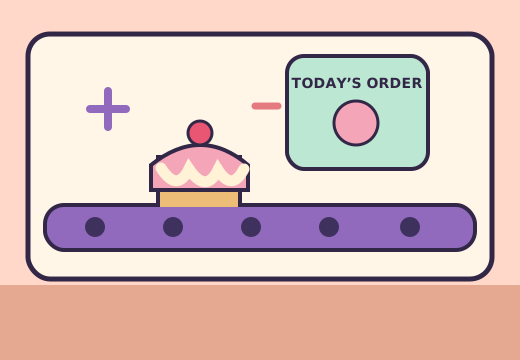
The Purble Place cake game is easiest when you treat the order picture as a checklist. In the current fan project, a small display at the left shows the target cake, while the controls below the work area let you choose parts for the cake. The green arrows at the bottom move the work along the line. The exact art and timing can change when the creator updates the project.

Start with the order picture

Look for the visible shape, cake body, covering, and decoration before pressing a control. Do not assume that a familiar looking cake is close enough: the puzzle is about matching the displayed order. The little order image is more useful than trying to remember a recipe from a guide, because each new round can show a different combination.

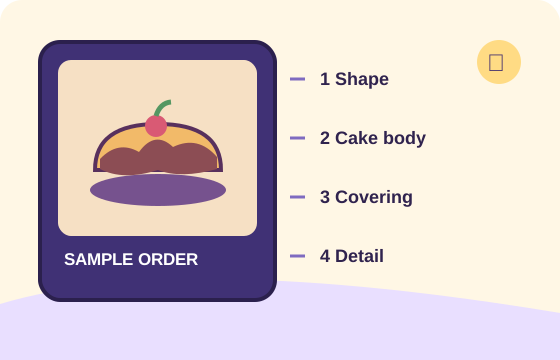
For your first attempt, name the visible parts in your head from left to right: shape, cake, top, and finishing detail. That brief pause helps when the belt begins moving. If the picture is too small, use the fullscreen button in the player. This guide describes the observed fan version rather than claiming every station in the Windows original works identically.

Diagram breaking a sample cake order into shape, cake body, icing, and decoration
A sample reading order, drawn as a guide rather than a screenshot.

03 / BUILD IT IN ORDER

Follow the stations.

In the current Purble Place cake game remake, the lower controls show several choices for a pan shape, a cake body, a covering, and small finishing icons. You can compare each choice with the order image before moving on. The belt arrows are separate from the ingredient buttons, so choosing a part and advancing the cake are two different actions.

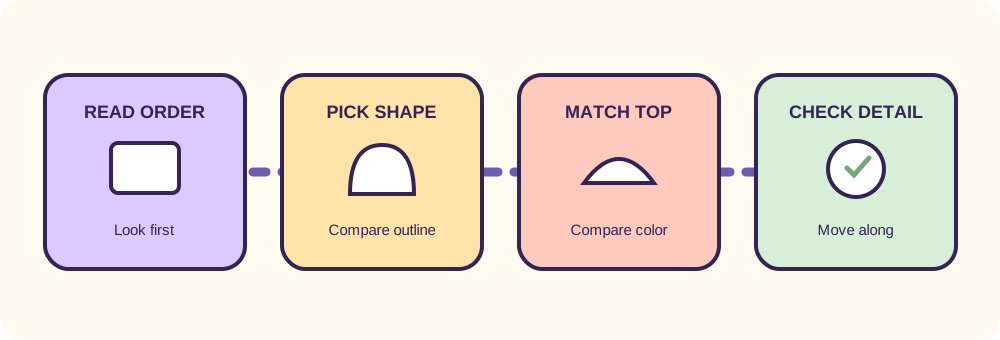
Four-stage bakery diagram: read the order, choose a shape, match the cake and icing, then add details
The practical sequence for this fan project: observe, choose, move, check.
01

Match the base

Start with the pan or base shape shown on the order. In the observed project, several shape icons sit in one vertical group. A round choice and a heart shaped choice look quite different, so this is the easiest mismatch to catch early. If you are unsure, compare the outline rather than its color.

02

Choose the body and top

Move through the cake and covering choices using the order picture as your reference. Similar colors can look close on a small screen. Select what the display actually shows, then pause for a moment before advancing. The goal is a visual match, not a particular flavor name that the project never displays.

03

Add the final detail

The small icons at the right represent the finishing choice in this version. Check the silhouette and color on the order card before pressing one. When the cake looks complete, use the directional controls to move it on. Watch the game’s response so you know whether your combination matched.

04 / IF A CAKE LOOKS WRONG

A quick check before it moves.

Most mistakes in a visual order puzzle are small. A shape can be right while the covering is wrong; a topping can look correct until you compare its color with the target. Use the Purble Place cake game as a matching task and inspect one part at a time. That is especially helpful when the screen is narrow or the project has just finished loading.

If an order is rejected in the Purble Place cake game, look back at the order image instead of repeating the same fast clicks. Ask which visible feature differs. Then start another order and change only that decision. This is a practical learning method, not a promise about scores or a claim that every edition has an identical penalty system.

For a calmer first round, let the player load fully before touching the controls. The source project can be restarted with its green flag. Restarting starts a fresh Scratch session; it does not restore an earlier cake. If the player is unresponsive, open the source in a new tab and try again there.

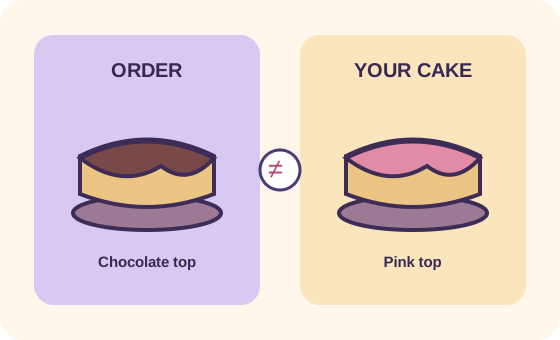
Side-by-side comparison of an order cake and a cake with the wrong top color
Compare one visible feature at a time.
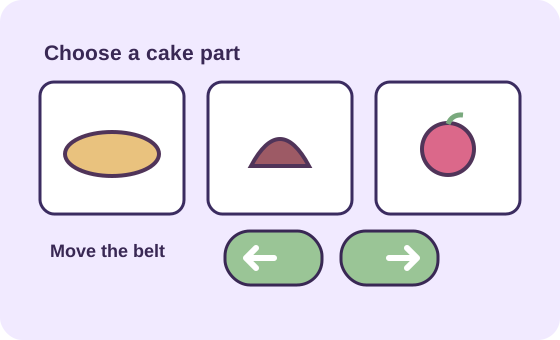
Diagram distinguishing ingredient selection buttons from the arrows that move the bakery belt
Choose the part, then use the movement controls.
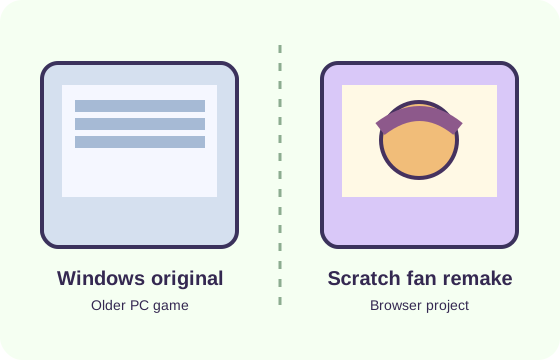
Diagram separating the original Windows collection from the current Scratch cake remake
Similar bakery idea, different software and source.

05 / WHICH VERSION?

A remake with its own details.

The original Purble Place cake game, Comfy Cakes, was one of three games in the collection on older Windows computers. This page runs a separate Scratch fan project. It uses the familiar idea of matching bakery orders, yet its art, controls, difficulty, scoring, and pacing are controlled by that project’s creator. A tip for the original release may therefore fail in this version.

This site does not distribute a Windows installer. It lets you play a Purble Place cake game in a browser and provides the creator’s source link below the game. If your goal is the exact Windows application, use that distinction when comparing guides and downloads elsewhere. Avoid treating a third-party browser remake as an official Microsoft release.

The separate game is useful for a focused cake session because it opens directly at the bakery. The full fan-made town remains available from the homepage if you want to switch to Purble Pairs or Purble Shop afterward.

Explore all Purble Place games ↑

Finished with the Purble Place cake game? Open the Purble Pairs memory game or read the three-game starting guide. To identify the older Windows software, see the original-version comparison and download source guide.
06 / SCREEN & CONTROLS

Give the order some room.

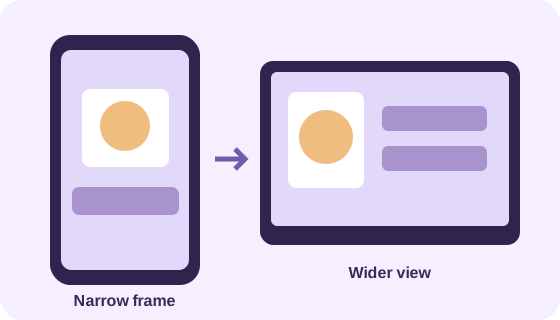
On a desktop, the Purble Place cake game order display and ingredient controls are easier to compare at a glance. On a phone, rotate the screen if your browser allows it, and use the player’s fullscreen control when the icons feel cramped. Touch behavior belongs to the creator’s project, so the same gesture may not feel as precise as a mouse click.

Loading time depends on the third-party Scratch assets and your connection. This Purble Place cake game page delays the game request until you press Play, which keeps the guide readable while you decide. If you leave the page or switch projects, the embedded session restarts. Use the new-tab link when you want to keep the current game open while reading.

Diagram comparing a cramped phone game frame with a wider fullscreen view
A wider view can make visual matching easier.

07 / COMMON QUESTIONS

Before the next order.

What is the Purble Place cake game called?

The cake mode is called Comfy Cakes. People also search for a Purble Place cake maker or cake factory game; those names usually point to the same bakery idea. This page opens one specific community remake of that mode.

Can I play this Comfy Cakes game online without downloading it?

Yes. Press Play above and the Purble Place cake game project loads through TurboWarp in your browser. No Windows installer is provided here. The project still needs an internet connection to fetch its art and sounds.

Why does the cake not match the order?

Check the order picture and your cake part by part. Compare the shape first, then the body, top, and finishing icon. This page cannot inspect your live game state, so use the visible project feedback to identify the exact mismatch.

Is this the original Microsoft Comfy Cakes?

No. The playable Purble Place cake game here is a fan-made Scratch recreation by DipsyNugget. It is linked for attribution under the player and may differ from the original Windows game in art, controls, and rules.

Can I switch to the other Purble Place games?

Yes. Return to the Purble Place homepage for the full town and separate Pairs and Shop entries. Switching away from this embedded cake project starts a new session when you return.